
Bubble Zing1.1.1 - Get APK
You'll be able to download in few seconds.
Publisher Description
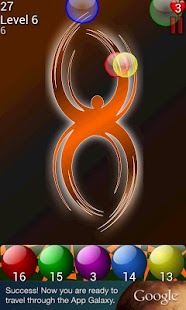
Bazinga! Put some zing in your step with Bubble Zing!
Bubble Zing is 50 level energetic, addictive, fast-paced game that will kick you in the pants as you climb higher in levels. You'll groove along to its lively, quick-tempo soundtrack while you swiftly launch marbles into the air.
It's easy to learn, fun to play, and put your speed and targeting skills to the test!
How to play:
*Launch colored marbles by sliding your finger from a marble to a colored bubble (red marbles pop red bubbles; blue pops blue, etc).
*Tap the middle marble to change the special item to either a purple marble or a rock.
*Pop as many bubbles as you can before too many fall down!
Features:
-Heart bubbles, poppable by any marble, regain health
-Special rock item to show those bubbles who's boss (limit 3)
-Purple marbles that get rid of those toxic bubbles
-Increasing difficulty as you climb in levels
We are also on Facebook!
http://www.facebook.com/eedgestudios
This game features music by Dan Kramer.
http://www.danrkramer.com
If you experience any bugs or problems with the app, the development team would like to hear your issues, please contact us at apps@eonedgestudios.com with your information and we will work with you to resolve them to the best of our ability.
About Bubble Zing
The company that develops Bubble Zing is Eon Edge Studios. The latest version released by its developer is 1.1.1.
To install Bubble Zing on your Android device, just click the green Continue To App button above to start the installation process. The app is listed on our website since 2012-07-02 and was downloaded 0 times. We have already checked if the download link is safe, however for your own protection we recommend that you scan the downloaded app with your antivirus. Your antivirus may detect the Bubble Zing as malware as malware if the download link to com.eondev.bubblezing is broken.
How to install Bubble Zing on your Android device:
- Click on the Continue To App button on our website. This will redirect you to Google Play.
- Once the Bubble Zing is shown in the Google Play listing of your Android device, you can start its download and installation. Tap on the Install button located below the search bar and to the right of the app icon.
- A pop-up window with the permissions required by Bubble Zing will be shown. Click on Accept to continue the process.
- Bubble Zing will be downloaded onto your device, displaying a progress. Once the download completes, the installation will start and you'll get a notification after the installation is finished.
Program Details
System requirements
Download information
Pricing
Version History
version 1.1.1
posted on 2012-07-02
1.1.1,* Fixed various crash issues, mostly related to ICS,* Fixed some other potential crash issues,* Fixed a potential memory leak
version 1.1.1
posted on 2012-07-02
Several fixes and updates
Disclaimer
External Download
We do not host Bubble Zing on our servers. We did not scan it for viruses, adware, spyware or other type of malware. This app is hosted by Galad and passed their terms and conditions to be listed there. We recommend caution when installing it.
The APK Download link for Bubble Zing is provided to you by apps112.com without any warranties, representations or guarantees of any kind, so access it at your own risk.
If you have questions regarding this particular app contact the publisher directly. For questions about the functionalities of apps112.com contact us.
